Latest
Release 2026.10
A new look across the whole suite, one-click backups to your own Google Drive and e-signatures.
Highlights
A new look
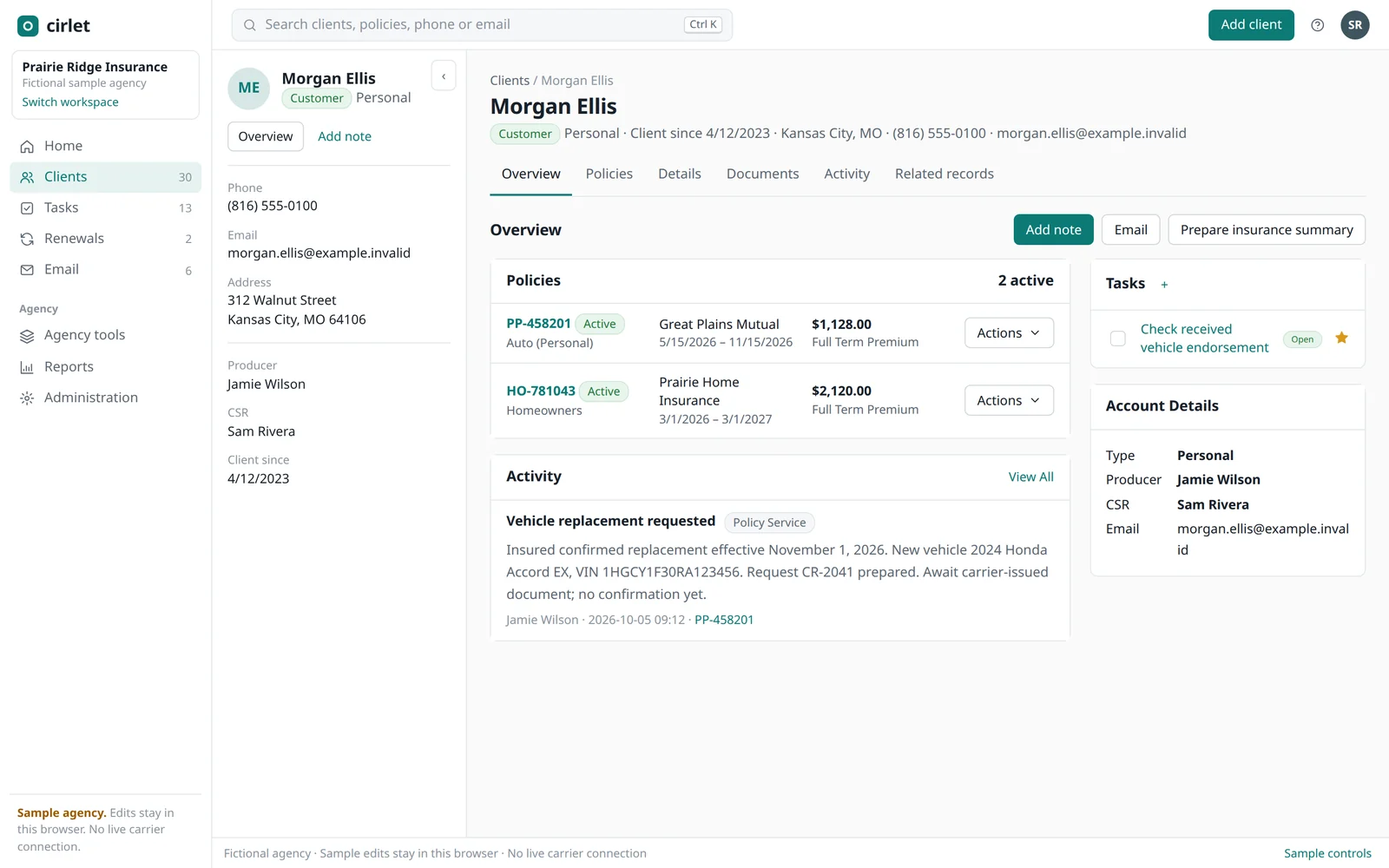
A labelled side menu replaces the icon rail. The home page starts with today's work: tasks due, renewals coming up, open tasks and email. Real icons, larger type and sentence-case buttons throughout. The client panel, tabs and tables stay where you expect them.
Search everything
Press Ctrl K from any screen to find a client, policy, phone number or email address.
Back up to your Google Drive
One click saves a complete copy of your agency's records, documents and history into a "Cirlet backups" folder in your own Google Drive. Cirlet asks Google only for access to the files it creates, and your Google sign-in stays in your browser.
E-signatures
Send a prepared document for signature and see when it has been signed. Signing goes through Cirlet's own signing service, so you don't need a separate e-signature account.
Also in this release
- Phones and tablets: the side menu becomes a drawer, and wide tables scroll sideways.
- Reports name the record on every row: the policy number and the client or business, and commission rows show their policy.
- "Clients" replaces "Applicants" in the menu and search.
- Support plans: email support stays free, and Cirlet Support and Direct Line are available for agencies that want faster help. See plans.
Being built
These depend on carriers, vendors and accounts outside Cirlet. What works today keeps each one's current status.
- Comparative rating with your agency's own QuoteRUSH account.
- Direct carrier downloads and carrier quoting.
- Sending email and texts to customers from Cirlet.
- Cirlet on your own computer or server, once it installs without security warnings and updates itself.